
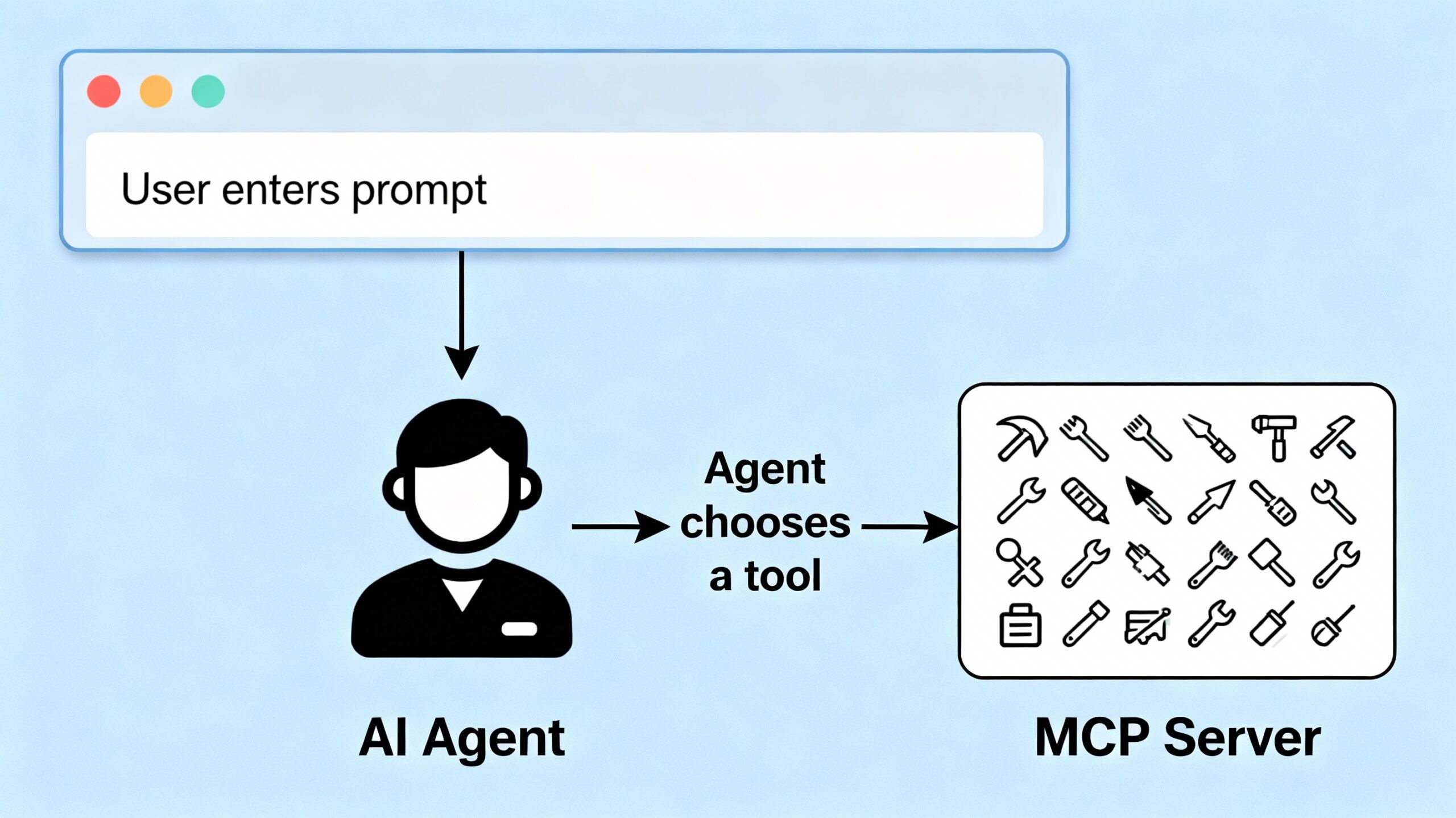
In this post, we explore how to build a Model Context Protocol (MCP) server using FastAPI. MCP is an open standard introduced by Anthropic that standardizes the way AI systems like large language models (LLMs) connect with external tools, data, and systems to provide dynamic, up-to-date context and capabilities.
What is the Model Context Protocol(MCP)?
The Model Context Protocol acts like a universal “USB-C port” for AI, enabling standardized, secure, two-way connections between AI applications (clients) and external services (servers). This lets AI agents access real-time data, execute functions, and take actions seamlessly, overcoming the limitations of isolated model training data and fragmented integrations.
With MCP, developers expose data sources and functionalities via MCP servers, and AI-powered tools connect as MCP clients, allowing easy discovery and interaction with multiple data sources and toolsets. This makes AI more useful, context-aware, and proactive.
Building Your MCP Server
We implement a simple MCP server using FastAPI that exposes a collection of tools the AI agent can call. Our sample tools include:
- Weather Tool: Fetches weather information for a specified city.
- Math Tool: Adds two numbers together.
We define the tools and their input/output schemas in a dictionary, and create endpoints to list available tools and to execute specific tools on demand.
from fastapi import FastAPI
from pydantic import BaseModel

app = FastAPI()

tools = {
    "weather_tool": {
        "description": "Fetches weather information for a given city.",
        "input_schema": {"city": "string"},
        "output_schema": {"temperature": "number"}
    },
    "math_tool": {
        "description": "Add two numbers together",
        "input_schema": {"a": "number", "b": "number"},
        "output_schema": {"result": "number"}
    }
}

class ToolRequest(BaseModel):
    tool_name: str
    input_data: dict
This structure aligns with MCP principles by formally defining tools and schemas for external access.
Exposing the MCP Server Endpoints
We provide two main endpoints:
GET /tools: Lists the available tools and their metadata.POST /execute: Executes a specific tool with given input parameters.
@app.get("/tools")
def list_tools():
    return tools

@app.post("/execute")
def execute_tool(request: ToolRequest):
    tool = tools.get(request.tool_name)
    if not tool:
        return {"error": "Tool not found"}

    # Simulated tool execution
    if request.tool_name == "weather_tool":
        city = request.input_data.get("city")
        return {"temperature": 20 + len(city)}  # Dummy temperature calculation

    if request.tool_name == "math_tool":
        a = request.input_data.get("a", 0)
        b = request.input_data.get("b", 0)
        return {"result": a + b}

    return {"error": "Tool execution failed"}
Running the MCP Server
To run the MCP server locally:
if __name__ == "__main__":
    import uvicorn
    uvicorn.run(app, host="0.0.0.0", port=8000)
Start the server in a terminal by combining the code above into a file called mcp_server.py or downloading the code from the github link at the bottom of this article. Then run the command python mcp_server.py . It will listen for AI clients to discover and invoke these tools.
Why This Matters
This MCP server sets the foundation for AI agents to dynamically request data and perform actions using real-time context and specialised functions. It embodies the new MCP standard that makes AI integrations more scalable, uniform, and powerful. In the next post, we’ll build agents that communicate with this MCP server and thereafter explore adding richer UX and autonomous decision-making.
You can download the full code for this post here.